Insight
10DLC Registration & Regulations: Your Complete Guide
10DLC is an abbreviation for a 10-digit long code phone number. It refers to a standard phone number, like 423-218-0111.
10DLC regulations may feel complicated, but the gist is:
You need to register your 10DLC and brand with mobile carriers before you can send text messages from your business phone number
The industry average to complete registration and start texting is 2 weeks, but Text Request customers are on average fully done within just 1 week
You'll need to complete the two forms within your Text Request account to register your brand registration and campaign registration (these forms ask for your business information and a bit about how you're going to use texting in your business, as well as some sample messages and how you collect opt-ins)
Successful registration helps you avoid message filtering, delivery issues, or being marked as spam
We’ll cover 10DLC registration and regulations in-depth below. Our team is also happy to help you directly. Just text or call us at 423-218-0111, or submit a contact form, and we’ll get you set up with compliant business texting.
What Is 10DLC?
Your business landline or internet (VOIP) phone number is considered a 10DLC. If you want to use your existing business lines for texting, 10DLC regulations apply to you.
Note: Toll-free numbers are not considered 10DLC. 10DLC compliance regulations do not apply to toll-free numbers.
What Is 10DLC Registration?
10DLC registration is the process of verifying your business phone number and the use cases you message your customers for as legitimate, so mobile carriers know you are not a spammer.
Why did mobile carriers create 10DLC regulations?
Mobile carriers implemented 10DLC registration to prevent bad actors from posing as legitimate businesses and spamming or scamming contacts who never asked to be texted.
The goal of 10DLC registration is to ensure consumers get messages they actually want, that they are not harmed by bad actors, and to keep texting a clean and effective channel for business communications.
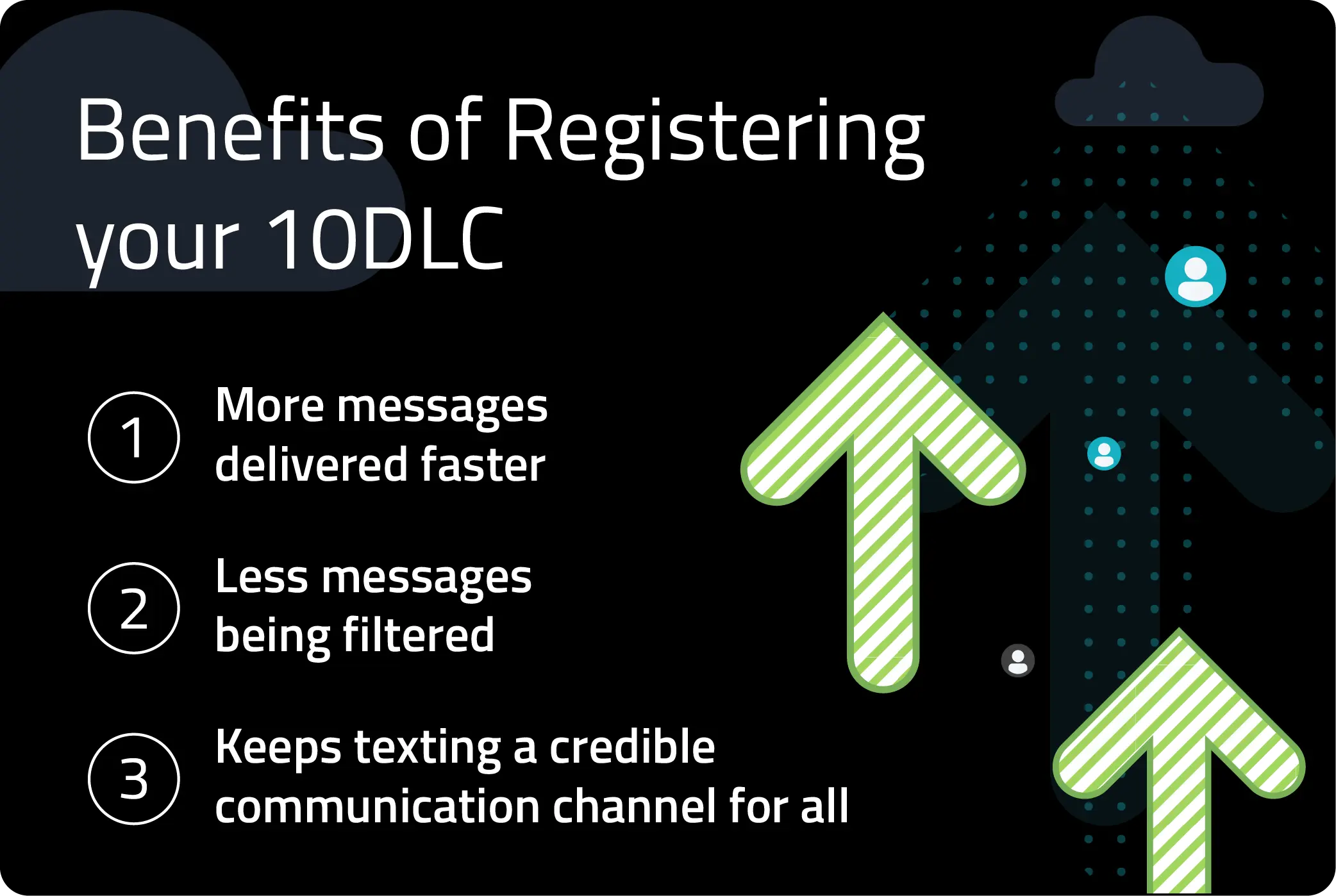
There are also a couple of happy byproducts of 10DLC compliance for your business:
You’ll be able to send more messages faster and with higher delivery rates
Your business will appear more legitimate once you’ve registered
What Are the Steps to Register My Business 10DLC?
There are many 10DLC requirements and process changes that affect the telecommunications industry, but only a few that matter for a business leader like you.
You need to complete both your brand registration and campaign registration with The Campaign Registry
You must prove that your contacts have opted in to receive texts from you
Businesses in some industries will be rejected outright, like those in cannabis/hemp, firearms, third-party collections, payday loans, and those selling other illicit materials
There are new 10DLC and per-message fees that apply to everyone, not only Text Request
Text Request will handle most of this for you. If you have questions, just ask.
1. Gather your business info.
Once you’ve shared your business info with us, we’ll handle the registration process and keep you in the loop. We need:
Your company’s legal name
Your company’s country of registration
Organization type (private, publicly traded, nonprofit)
Your company’s tax number/ID/EIN
Your business website
Your opt-in flow, or how you collect opt-ins for all contacts
Descriptions of each use case you text for
Sample messages for each use case
Links for your privacy policy and terms & conditions
We’ll collect this info when you sign up for Text Request. If you’re an existing customer, then we’ve already gotten it or a rep will reach out to you soon.
2. Submit registration for your “brand.”
A 10DLC brand is the business who’s doing the texting. One brand can have multiple “campaigns” associated with their account.
3. Submit registration for your texting “campaign(s).”
A A2P 10DLC campaign is a use case for texting. If you’re texting for multiple use cases, there’s a “mixed” use case that covers the gamut. One campaign can have multiple phone numbers associated with it.
How Long Does 10DLC Registration Take?
The good news is we’ll hear back about your brand registration almost instantly from The Campaign Registry. The less good news is there’s another step before you can start texting.
You also have to complete an additional campaign registration process by a DCA. To do this, you’ll have to provide a description of how you collect opt-ins. Opt-ins are contacts who have expressed a clear desire to be text messaged by your business.
How to Prove Opt-Ins
After working with thousands of companies, we’ve found the best way to prove that your contacts have opted-in to receive texts is to add opt-in language to your website. There are many options for doing so.
It’s best practice to do as many of these as you can, and we’re listing them in order of importance, so you can prioritize accordingly.
4 Ways to Prove SMS Subscriber Opt-Ins on Your Website
1. Add opt-in language to your contact forms, with a required checkbox.
See below for sample language.

2. Add opt-in language and opt out language to your terms of service.
Common examples of opt-out language include:
“I would like to receive texts (e.g. account notifications, appointment reminders, etc.) from [company name]. Message and data rates may apply. Message frequency varies. Reply HELP for help or STOP to opt out.”
3. Add our SMS Chat widget to your website.
Our SMS Chat has opt-in language included in the widget, so anyone who messages you through it is a confirmed opt-in. It is also highly visible on your website, and the folks approving registrations appreciate that.
If you already have a Text Request account, you can configure your SMS Chat here.

4. Use keywords to prompt inbound messages.
Using a keyword prompt, like “Text DEALS for text alerts about new items and discounts” is a great opt-in option, because contacts are intentionally texting you to get something in return.
If this applies to your business, be sure to add your keyword prompt to your website.
Additional Ways to Prove Opt-Ins
These may not cover all of your contacts, or get through all vetting stages, but they do tend to work.
1. Add a pop-up form to your website.
If you use a pop-up anyway, this is a perfect place to include opt-in language. This pop-up will need to meet the same standards as the contact form example above.

2. Ask for approval over the phone.
Verbal confirmations of opt-ins are acceptable, but we’ll need documentation showing:
That you ask for verbal opt-ins
The script you use to ask and confirm
The process you follow to update a contact’s records to opt them into texts
3. Use physical forms.
You may use handwritten sign-in or registration forms for things like doctor’s appointments, local meetups, or trade shows. These are acceptable, but they must include opt-in language, and we will need to upload a picture of the form as we register your 10DLC campaign registration.
How do you keep your texts from being marked as spam?
Remember that the whole point of 10DLC compliance is to reduce spam. Even if you are registered and pass vetting, your messages can be dinged as spam if you’re sending bad traffic.
A few red flags for spam include:
Mass messages that include third-party shortened URLs (like Bitly)
Ending a message with a link
Sending links without “https://” at the beginning
Having any words in ALL CAPS
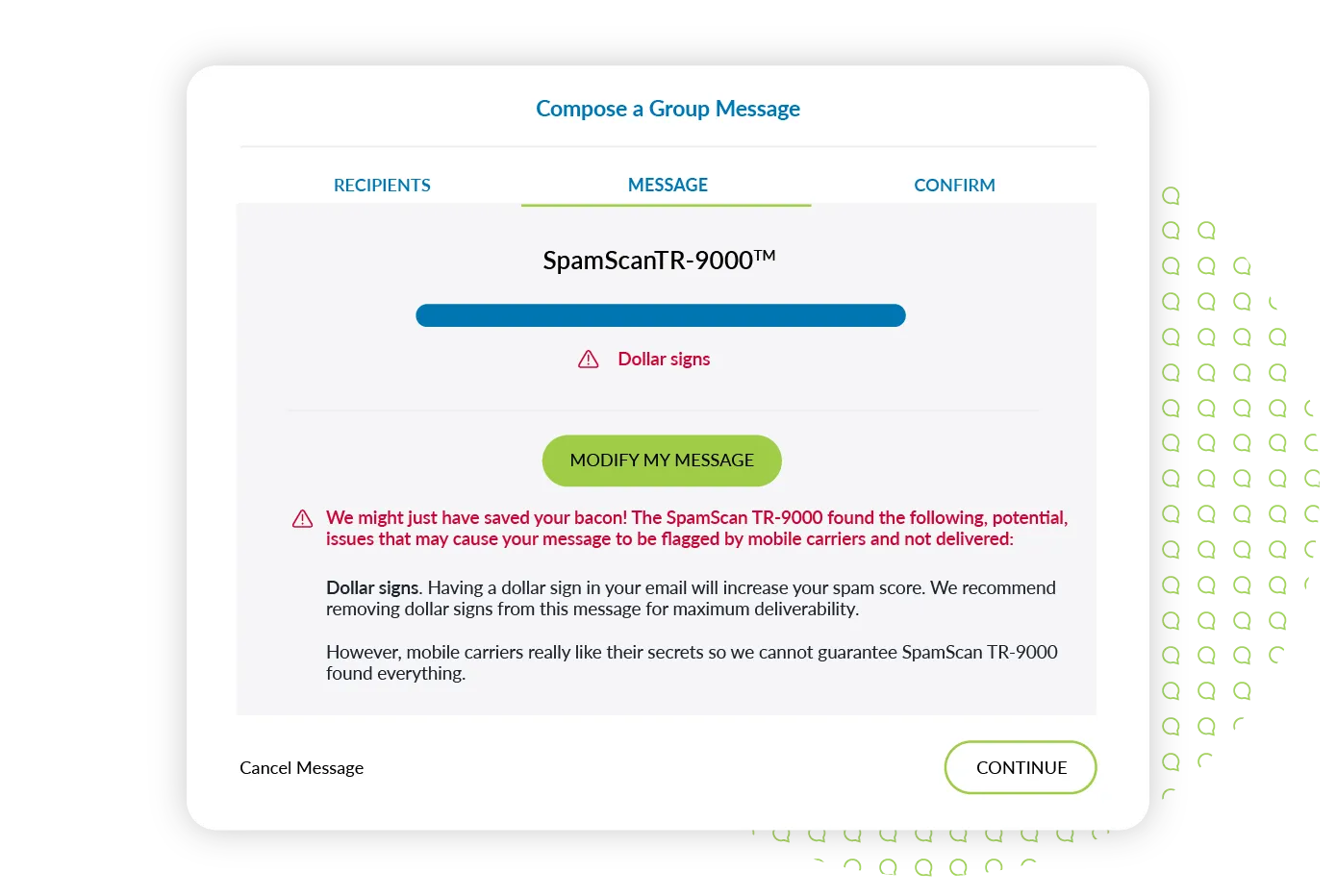
Using multiple dollar signs ($) or emojis in the same text
Sending the exact same message to massive groups of people
Sending lengthy texts to large audiences
For more insights, view our full guide to avoiding SMS spam filters.
In practice, if you text like a normal person would text, you should be fine. Our Spam Scanner will also help you avoid these common mistakes when sending a mass text message. It automatically alerts you if it spots any of the things mentioned above.
If you have any questions, please reach out.
10DLC Registration FAQs
What is a 10DLC campaign, and why does it need to be registered?
A 10DLC campaign is how a business uses text messaging, such as customer support, notifications, or SMS marketing. Campaign registration helps mobile marriers understand message intent and prevent spam.
What’s the difference between short code and 10DLC messaging?
10DLC numbers have been increasingly popular for business texting for three reasons:
Businesses already own the numbers
They’re very inexpensive
Customers trust messages from 10DLC phone numbers more than short code numbers
A short code is a four, five, or six-digit phone number—like 555-55—commonly used for mass texting and automations. Short codes tend to be expensive—starting at $1,000/mo—so brands have historically shared them to cut down on costs. That creates problems, though, because SMS opt-ins for short code numbers are entirely based on keywords.
Managing keywords and opt-ins across brands on the same number is clunky, and has caused a lot of spam and consumer frustration. Carriers have stopped allowing brands to share short code numbers—that’s actually what kicked off most of these 10DLC regulations.
What is A2P messaging?
A2P used to apply only to automated messaging services, but business texting now looks very similar to person-to-person conversations, and so carriers have updated their definitions. Text Request works closely with TCR on your behalf to ensure your A2P 10DLC registration is successfully completed and that your messages are delivered.
What is A2P 10DLC messaging?
A2P stands for application-to-person texting. It means you’re texting from a software application like Text Request, rather than from your cell phone’s standard texting app.
You use your 10DLC to send A2P messages. More on how to register your A2P 10DLC messaging next.
What is a DCA?
DCA can stand for both “direct connectivity agent” and “direct connect aggregator.” Either way, DCAs help deliver text messages from a software provider like Text Request to mobile carriers like Verizon et. al.
Mobile carriers are now requiring the DCAs to conduct an additional, currently manual, vetting process to make sure your campaign meets best practices and standards. There are additional fees associated with this vetting process, and you’ll also see more about opt-ins as a core piece of 10DLC regulations below.
Your 10DLC registration is not considered complete or approved until this vetting is done, and your messages will not be delivered.
Is 10DLC registration required for all businesses?
10DLC registration is required for all U.S. businesses that send SMS/MMS messages using standard 10-digit phone numbers. Toll-free and short code numbers abide by a different set of registration rules.
What happens if you don’t register for 10DLC?
Accounts who do not get 10DLC Registered will be unable to send text messages to any US Mobile Number. Texting to Canadian Mobile Numbers may be available, but delivery cannot be guaranteed.
How long does 10DLC registration take?
The industry average to complete registration and start texting is 2 weeks, but Text Request customers are on average fully onboarded within 1 week.